How to Make a Coloring Book From Photos (4 Methods)
Photoshop threshold, Procreate, phone apps or AI: how to turn photos into printable coloring pages, and how to get a book with the same subject on every page.
Turning a photo into a coloring page is an old trick. Turning a photo into a coloring book, where the same dog, kid or family shows up on page after page in different scenes, is a newer problem, and the four methods below solve it to very different degrees. This guide walks through each one, what it is good at, where it breaks, and what to do about printing at the end. We build one of these tools, so the last section is about ours; the first three are methods you can use today for free.
Method 1: Photoshop or GIMP (threshold and edge detection)
This is the classic route and it costs nothing if you already have the software.
- Open the photo and convert it to black and white (Image > Mode > Grayscale, or a Black & White adjustment layer).
- Duplicate the layer, invert the copy, set its blend mode to Color Dodge, and apply a small Gaussian Blur. This gives you a pencil-sketch look.
- Alternatively, run Filter > Stylize > Find Edges, then Image > Adjustments > Threshold and drag until you get clean black lines on white.
- Clean up stray dots with the eraser and thicken thin lines with Filter > Other > Minimum.
Good for: a single page from a clean, high-contrast photo, such as a face against a plain wall or a building.
Where it breaks: fur, hair, grass and anything textured. Edge detection turns a golden retriever into a gray smear, because every strand is an edge. You also get open shapes, so the page is hard to color inside the lines, and there is no way to put the subject into a different scene. It is one page, in the pose the photo was taken in.
Method 2: Procreate or a drawing tablet (trace it yourself)
If you can draw a little, tracing is the highest-quality manual option. Drop the photo onto a layer at 30% opacity, add a new layer on top, and ink the outlines with a monoline brush. Procreate's Studio Pen at a fixed size gives the even line weight coloring books use. Delete the photo layer when you are done.
Good for: full control over line weight, simplification and what to leave out. Pros do it this way.
Where it breaks: time. A clean single page takes an hour or more, and a five-page book with the same subject in five scenes means drawing the subject five times from imagination. That is the part most people cannot do, and it is exactly the part a coloring book needs.
Method 3: Phone apps ("photo to sketch" filters)
There are dozens of these. Most apply a sketch or cartoon filter and export a JPEG.
Good for: something to look at on a screen in ten seconds.
Where it breaks: printing. Almost all of them produce gray shading, halftone dots or soft edges rather than closed black lines on pure white. On paper that comes out muddy, uses a lot of ink and gives kids nothing clear to color. Resolution is often capped too, so a letter-size print looks fuzzy. And again: one page, same pose.
Method 4: AI image models (photo in, coloring page out)
The newest image models can take a photo as a reference and redraw it as line art, and, more importantly, redraw the same subject in a new scene. That is what makes a book possible rather than a page.
Here is the kind of prompt that works with a model like gpt-image-2 in edit mode, using your photo as the reference:
Convert this photo into a printable realistic line art coloring book page. Bold black outlines on the main subject, thinner lines for background, closed regions for easy coloring, pure white background, no gray shading or hatching. Keep the subject recognizable: same face, markings and proportions. Redraw the subject running through a park in spring.
Change the last sentence and you get the beach, the snow, the couch. The result, unedited, looks like this:
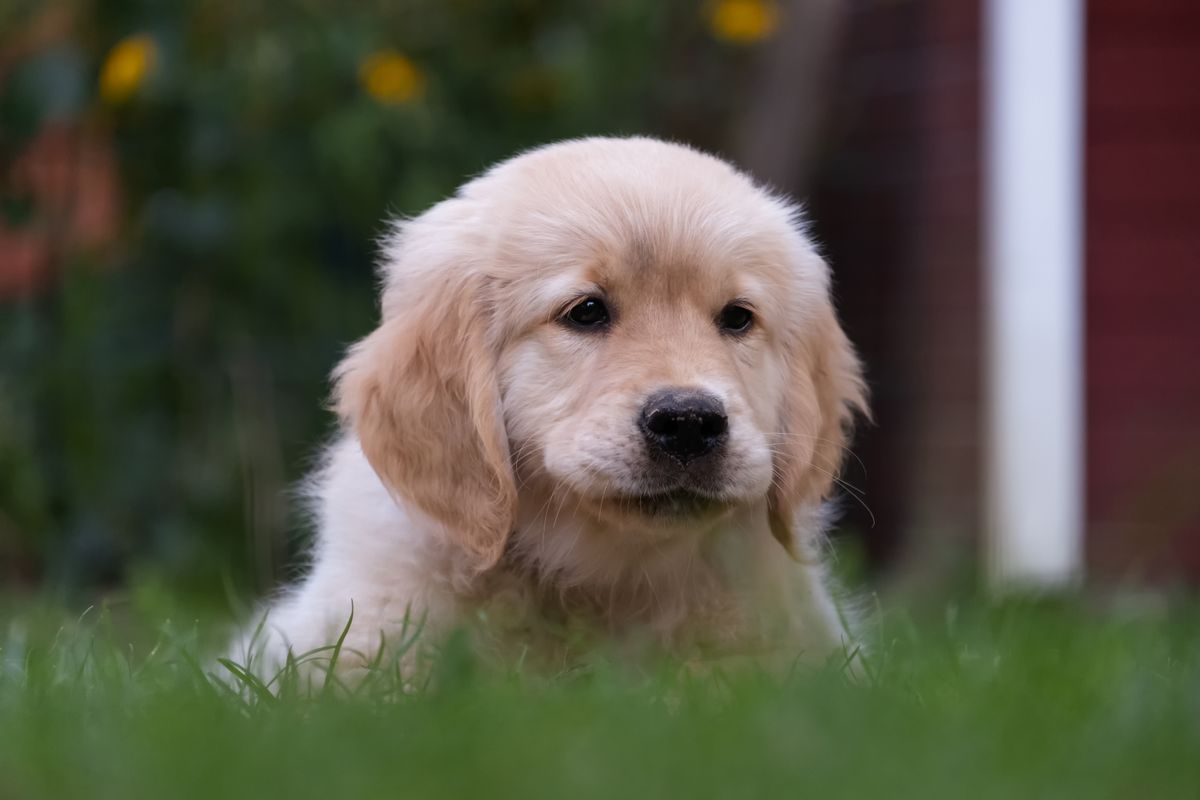
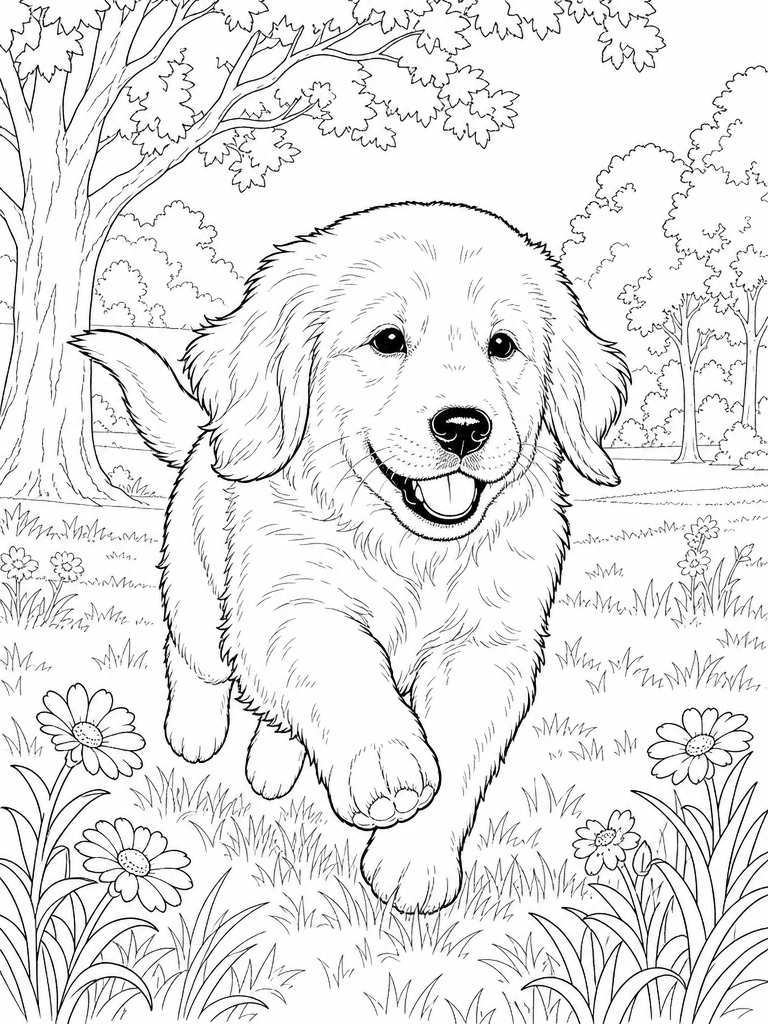
Good for: closed shapes, clean white backgrounds, correct line hierarchy, and consistency across pages. It also handles fur, which is where Method 1 dies.
Where it breaks: three things to watch. First, cost and setup: doing this by hand through an API means an account, a key and some trial and error on prompts. Second, accessories: anything on the subject in the photo, such as a harness or a hat, tends to be treated as part of the subject and carried into every page, which is fine if you want it and annoying if you do not. Third, cartoon styles lose breed detail; a chibi Lab and a chibi golden look similar. Realistic style keeps the likeness.
We wrapped this method into LineArt, which runs the prompt engineering, the multi-page consistency and the print sizing for you: upload one photo, pick realistic or cartoon, and get a five-page book plus a print-ready PDF. New accounts include enough free credits for a two-page preview, so you can check the likeness before paying. Two real, unedited runs are documented here: a golden retriever puppy and two Labradors, one realistic and one cartoon.
Which method should you use?
| You want | Use |
|---|---|
| One page, high-contrast photo, free | Photoshop or GIMP threshold |
| One page, best possible quality, you can draw | Procreate tracing |
| Something to share on a screen | A phone app |
| Several pages with the same subject, printable | An AI model, or LineArt |
Printing tips that apply to every method
- Export at 300 dpi or a large pixel size. For a US letter page, aim for at least 2000 pixels on the long edge. Our pages are 768 by 1024 at 3:4, which prints cleanly at 5 by 7 inches or slightly soft at full letter; for KDP-size books we scale with margins.
- Pure black on pure white. If your file has gray, run a Threshold adjustment before printing. Gray wastes ink and colors badly.
- Paper. Plain copy paper is fine for crayons and pencils. For markers, use 90 to 110 lb cardstock so the ink does not bleed through.
- Margins. Keep a quarter inch clear on every side; home printers cannot print to the edge.
Once the file exists, you still have to decide how it gets printed — home printer or print on demand. We ran the real per-copy numbers for both in print at home vs print on demand.
Prefer to compare named products rather than methods? We put ChatGPT, Canva, Crayola Color Camera, Colorscape and the rest side by side in the best photo to coloring page apps in 2026.
If you only need one page of something simple, start with Method 1. If you need a book, start with the free two-page preview and see whether it captures your subject: make a coloring book from your photo.