Three Portraits Turned Into Line Art, Unedited
A tight portrait, a half-length shot and a full-length landscape shot, all run through LineArt unedited. What the model keeps, what it clears to white, and how far a face can shrink before it stops working.
Every case study on this blog so far has been an animal or a family group: a golden retriever puppy, two Labradors, a family of four. This one is about adult portraits — the kind people convert for an anniversary gift, a framed print, or an embroidery pattern rather than for a child's coloring book.
I picked three photos that fail the usual advice in three different ways: one is cropped so tight there is barely any background, one has the busiest hair I could find, and one is a full-length shot where the faces are a tiny fraction of the frame. Every page below is exactly as it came out. Nothing was retouched, re-run or cherry-picked.
Photo 1: a tight portrait with a blurred park behind it
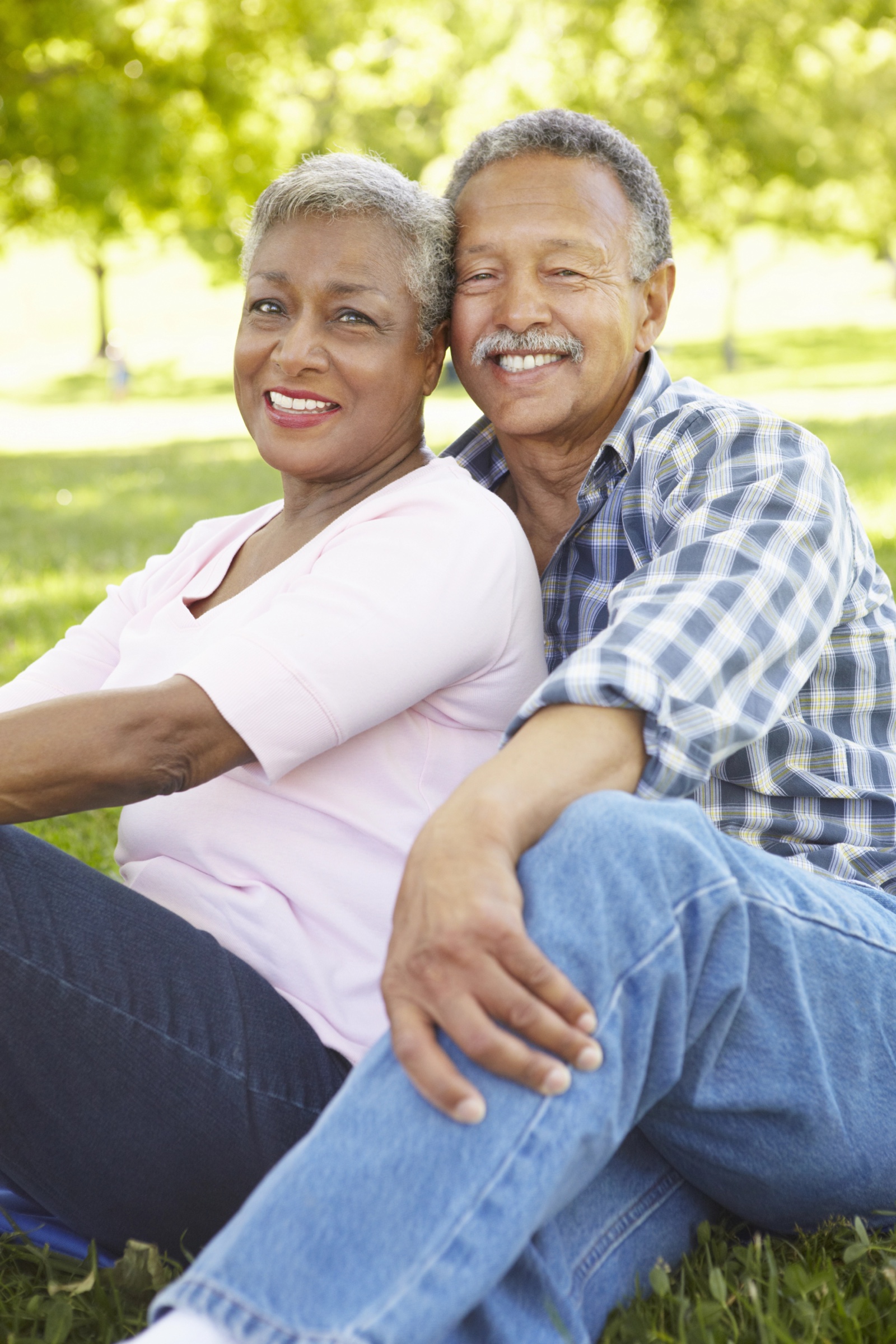
Two people filling the frame, the park behind them reduced to green blur. This is the shape most phone portraits take.
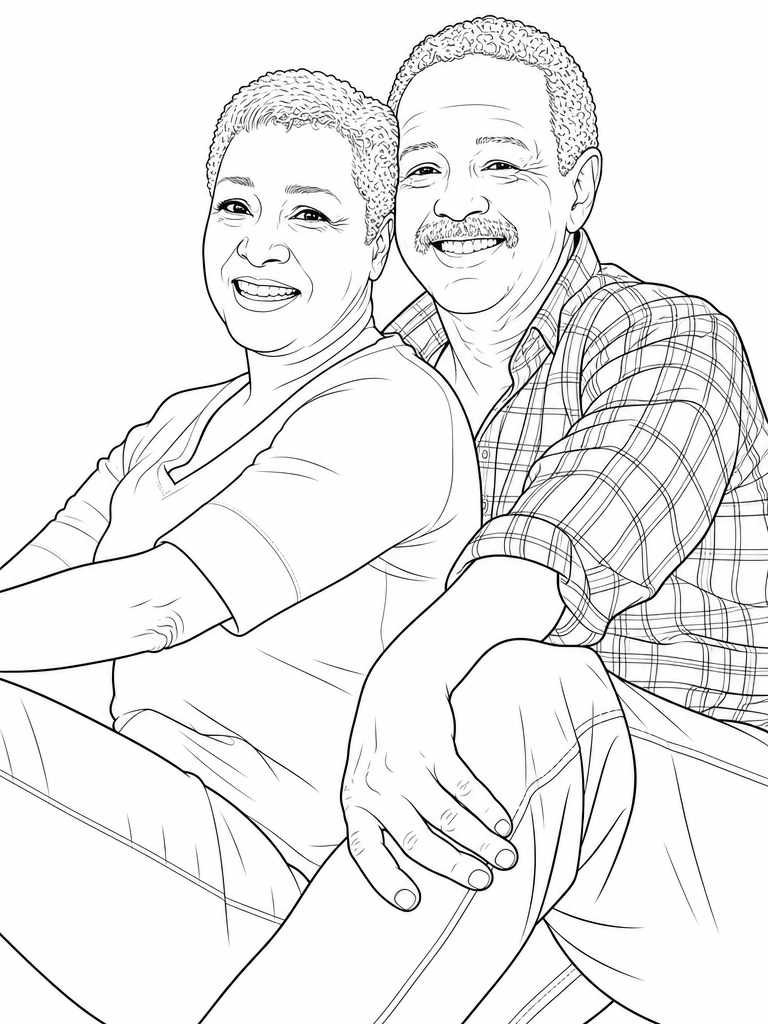
The background did not survive, and that is the interesting part: it did not come back as gray mush, it came back as nothing. Pure white. What you get is a portrait page, the two of them and no setting at all.
Look at the man's shirt. In the photo it is a plaid that a filter would turn into a gray smear where the weave is. Here every line of the plaid is drawn, following the folds and the rolled cuff. The woman's short gray hair is drawn as individual curls rather than a solid mass. That is the difference between redrawing a photo and running an edge detector over it.
Photo 2: dark curly hair, which is supposed to be the hard case
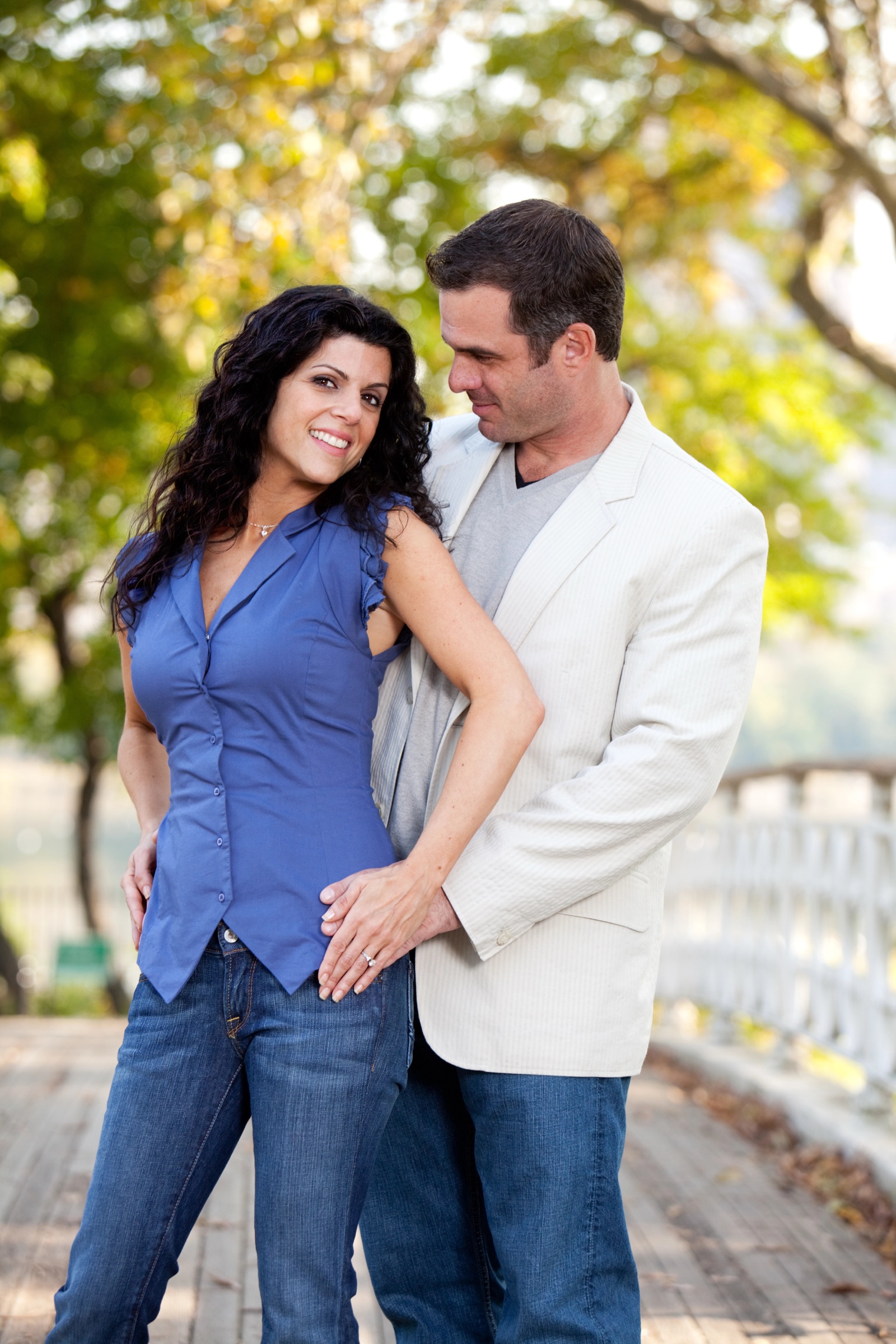
Long, dark, thick curls against a dim background are the classic failure mode for line art tools — there is no contrast to find an edge in, so you get a black blob. I wanted to see it break.
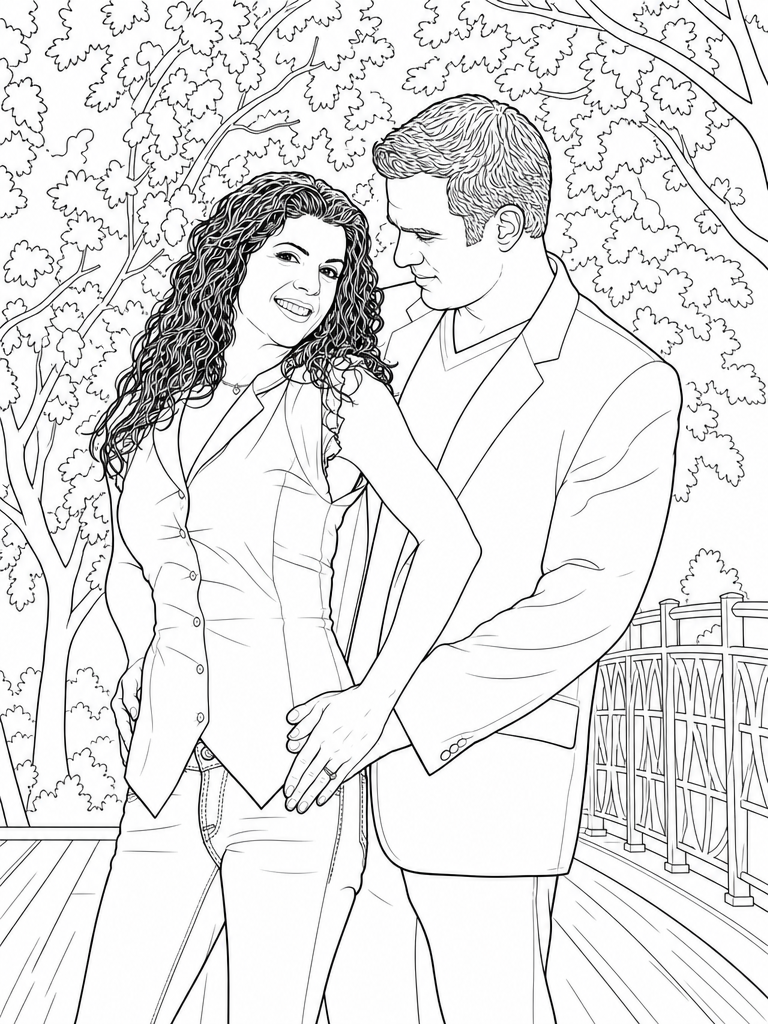
It didn't. The hair comes out as curls, individually drawn, all the way down past her shoulder — something an edge filter cannot do at all, because the information simply is not in the photo's edges. The model is drawing what it understands to be curly hair, not tracing what it can measure.
The background is the surprise here. This photo's background is blurred too, but unlike the first one, it came back fully drawn: leaves on the trees, the lattice pattern in the white bridge railing, the planks of the boardwalk. So "blurred background disappears" is not the rule. The first photo had nothing behind them but soft foliage, and the couple occupied almost the whole frame; this one has recognizable structures and room around the subjects, and the model rebuilt all of it.
For a coloring page this version is arguably the better one — far more area to actually color.
Photo 3: the faces are tiny
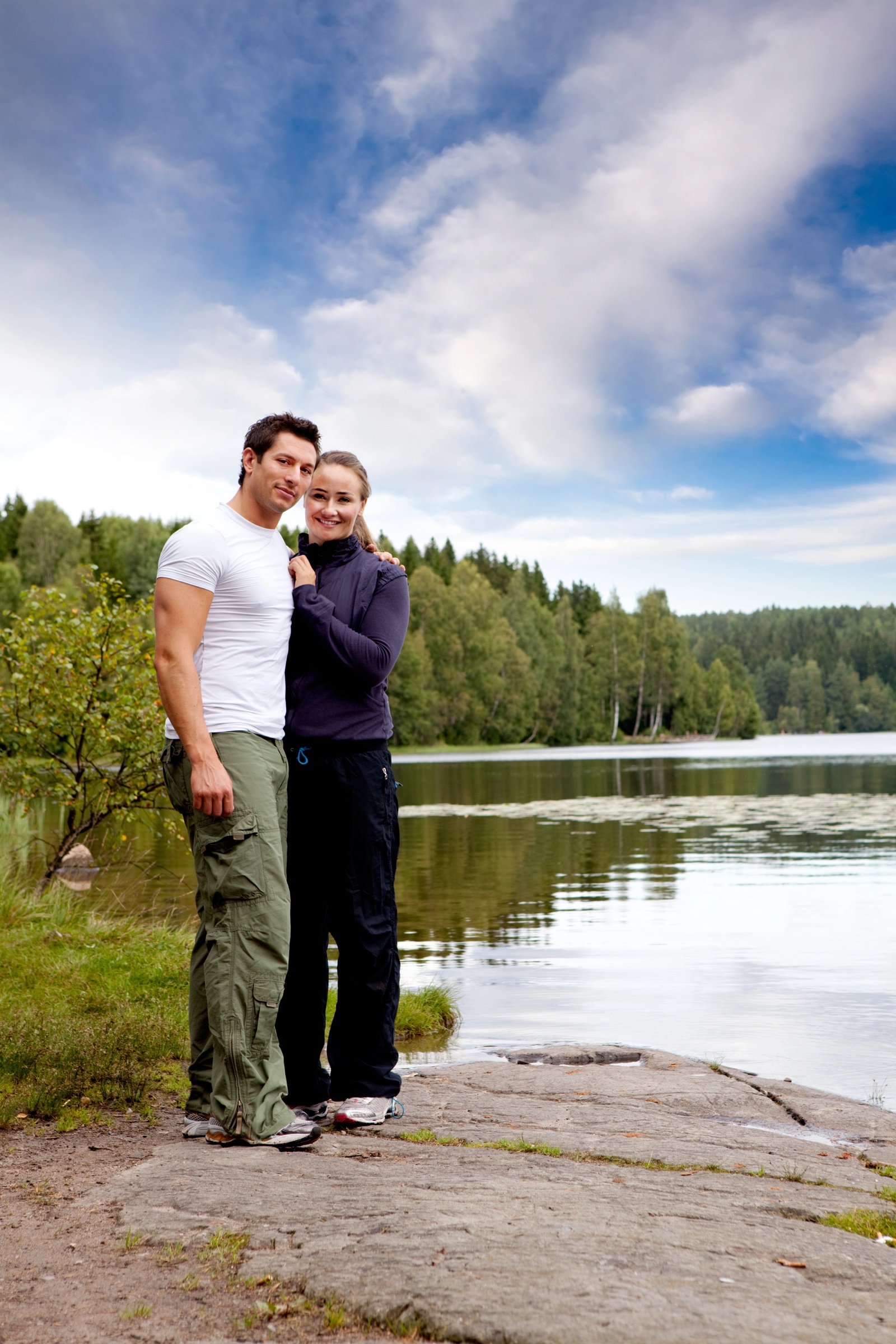
Full length, a whole lake and treeline behind them, and two heads that take up a few percent of the image. By the usual guidance this photo should not work.
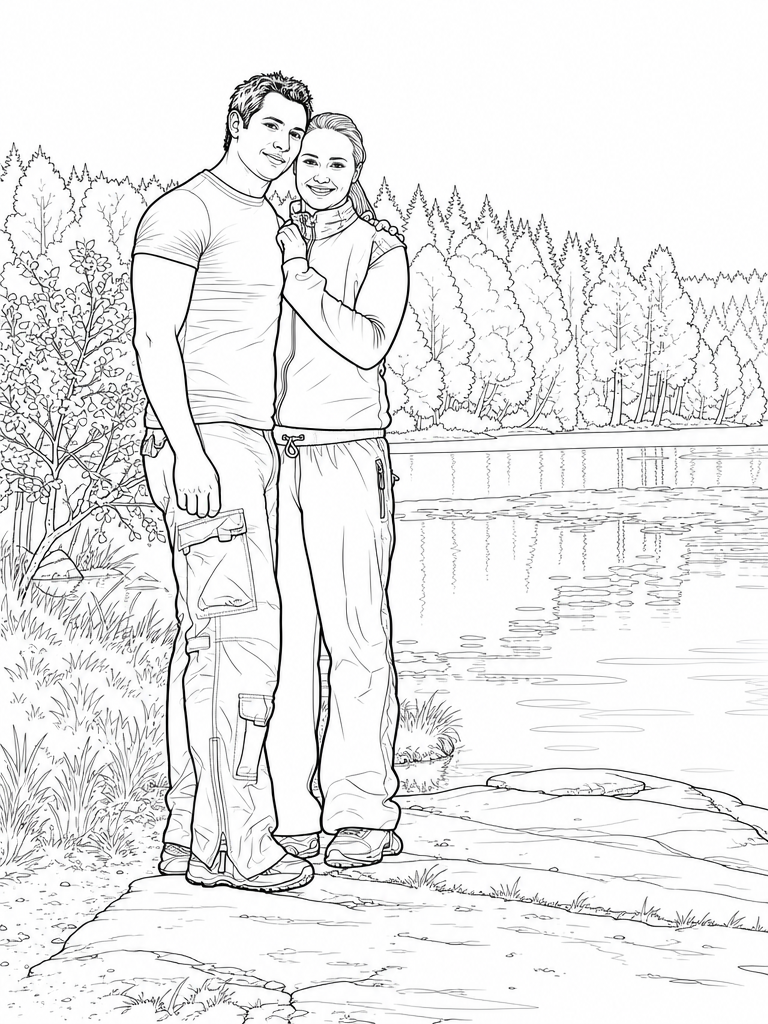
Both faces are still recognizably theirs. Not detailed — there is not much to work with at that size — but not mangled either, which is the failure everyone actually fears.
The scene is the most complete of the three: the far treeline drawn tree by tree, the ripples and reflections on the lake, the shrub on the left, the grain in the rock they are standing on. The one thing the model dropped is the cloudy sky, which came back as blank white. For a page you intend to color that is the right call — nobody wants to outline clouds — but it is worth knowing that large soft areas tend to be left open.
The same two people across five pages
A single page is one thing. The reason to use this rather than a filter is that the same people stay themselves across a whole book. Here is the first couple in four more scenes, from the same one photo:
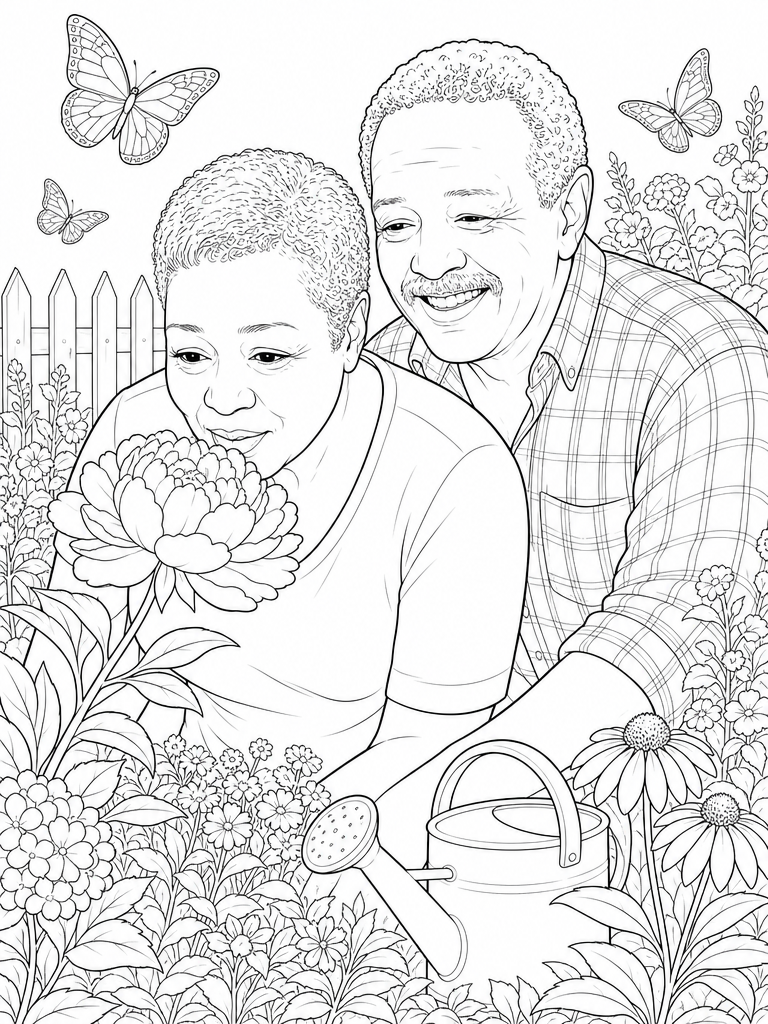
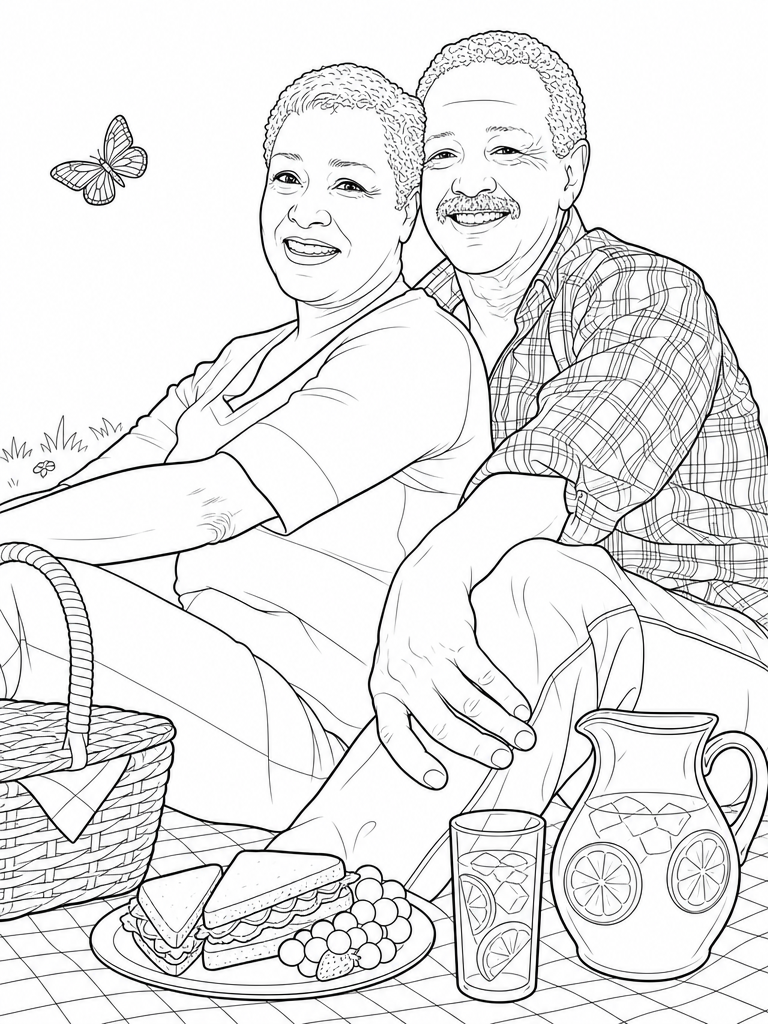
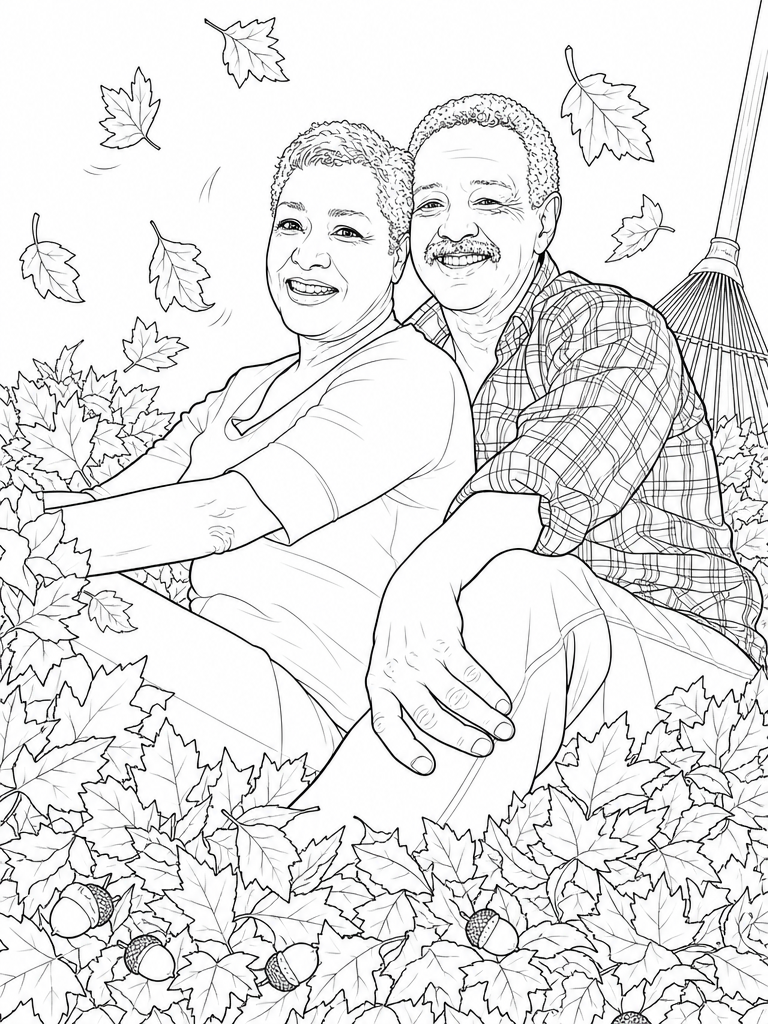
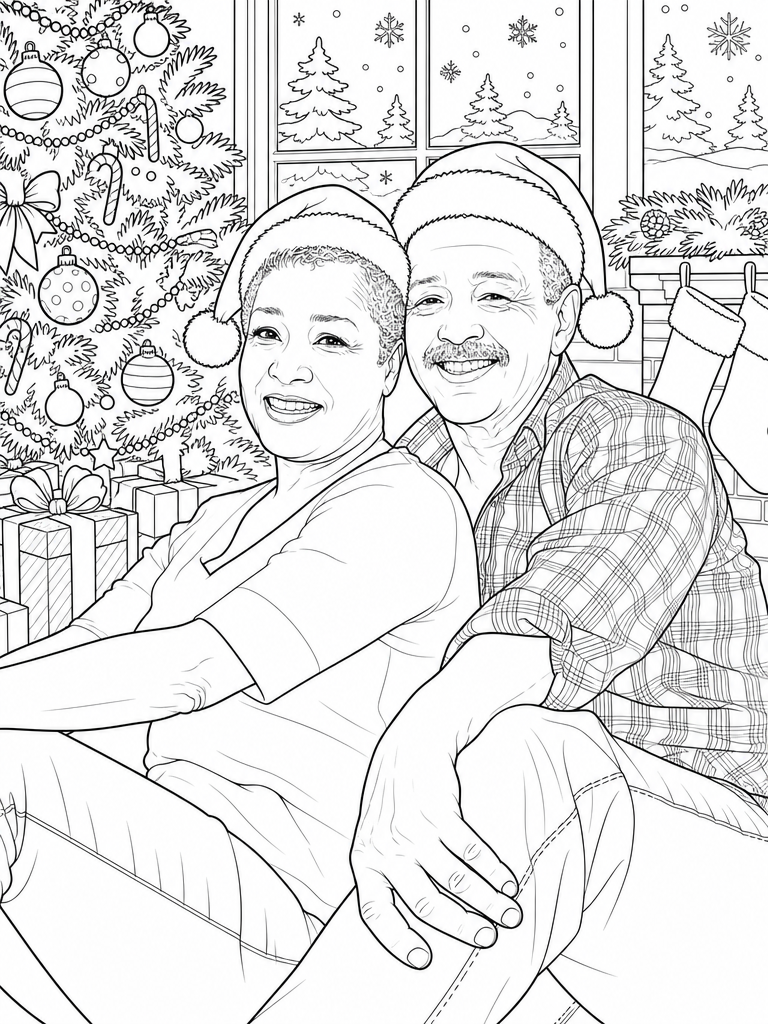
The giveaway is the plaid shirt. It is on him in the park portrait, in the garden, at the picnic, in the leaves and under the Christmas tree — same shirt, same plaid, drawn fresh each time at a different angle. Her hair, his moustache and both faces carry through the same way.
Two other things worth noticing. The scene pages mostly reuse the pose from the photo and rebuild the world around it, except the garden page, where they are leaning in to smell a peony — so poses do change when the scene calls for it. And each scene brings its own props: a watering can and a picket fence, a picnic basket and a lemonade pitcher, a rake and acorns, stockings and a window full of falling snow. Those props are what make a page take twenty minutes to color instead of five.
What this actually tells you about picking a photo
After three photos that were each supposed to be a problem case, the honest summary is that the photo matters less than people expect:
- Curly, dark or messy hair is fine. It is redrawn as hair, not traced as an outline.
- Small faces are usable. A face a few percent of the frame still comes back recognizable. Crop in if you want detail in the features, but you do not have to.
- Framing decides how much setting you keep. Subjects filling the frame gave a pure portrait on white. Wider shots kept their surroundings, redrawn in full. Choose deliberately: portrait page, or scene page.
- Large flat areas may be left open. The sky went white. Fine for coloring, worth expecting.
The one thing I would still avoid is a crowd. Every extra face divides the detail the model has to spend, and these runs had two people at most.
Cost and time
Each page is a single generation, roughly a minute. A five-page set with the PDF runs about six minutes end to end and costs 50 credits — the pricing page has the current packages. New accounts get 20 free credits, which covers a two-page preview of your own photo, so you can judge the line quality before paying for anything. Preview pages are watermarked; finishing the book removes it.
If you want the one-page version of this, the photo to line art converter page explains what you get and how it differs from a sketch filter. If you would rather make the full book, personalized coloring books from photos explains the multi-page version, or start here.